Film streaming
4K wedding film streaming that looks as good as your grade
Dellro streams wedding films in up to 4K (2160p) using adaptive streaming, so playback starts quickly at a lower quality and steps up as the viewer's connection allows. Each film is encoded only up to its source resolution, so a 4K master plays in 4K and nothing is ever upscaled.
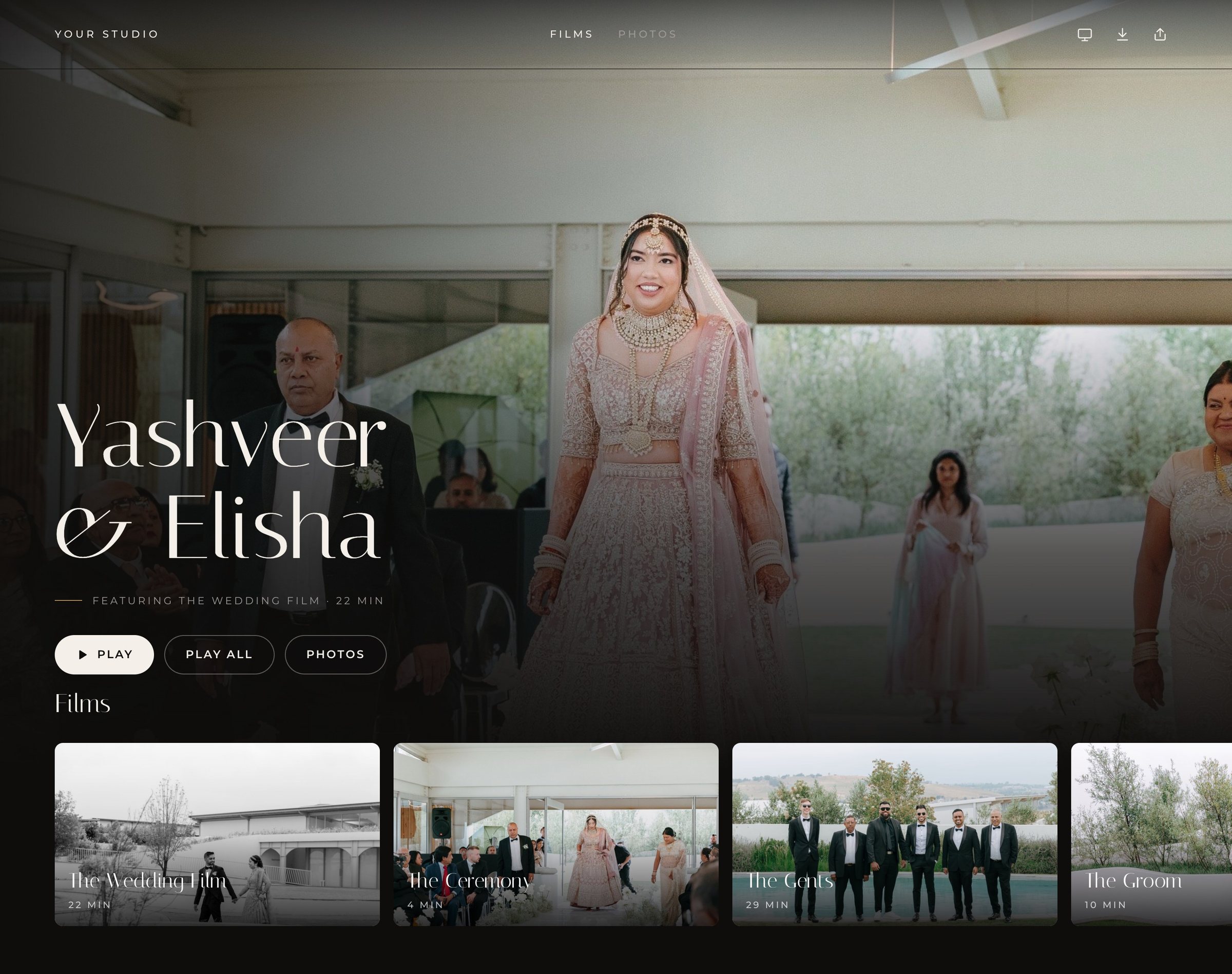
How 4K wedding film streaming works
When you upload a film, Dellro prepares it for adaptive streaming (HLS). Instead of one heavy file, the film is encoded into a quality ladder, and the player picks the right rung for each viewer moment by moment. A couple on fast home internet sees your film in full resolution, while a grandmother watching on a phone with patchy signal still gets smooth playback.
- 2160p (4K) for films delivered from a 4K source
- 1440p, added only for sources that sit between 1440p and 4K
- 1080p and 720p for every film, so smaller screens and slower connections stay smooth
- A separate audio track, so your mix stays consistent while the picture adapts
Playback begins at a lower rung and climbs as the connection allows. That means the first frame arrives quickly and the film sharpens on its own, without the viewer touching a settings menu.
Stream wedding videos in 4K without upscaling
A film is only encoded up to the resolution you exported. If you deliver a 1080p highlight film, the top rung is 1080p. If you deliver a 4K feature, the full ladder up to 2160p is built. Your couples see what you graded, never a stretched version pretending to be something else.
Dellro accepts MP4, MOV and other common video containers, including MXF, MKV and M4V. Large masters are fine too: see large file uploads for how files up to 500 GB go up in parts and resume after a dropped connection.
A gallery home that feels like a streaming service
Films sit in rows and sub-pages on the gallery home, so a wedding with a trailer, a feature film, the ceremony and the speeches reads as one considered collection rather than a list of links. Photo sets live in the same gallery under the same link.
- Chapters let couples jump straight to the vows, the first dance or the speeches
- Captions and subtitles can be added to any film, helpful for guests abroad and for speeches
- Replace a film with a new version and it keeps its place in the gallery
- A muted background clip of up to 30 seconds and background music can set the mood on the gallery home (Studio and Signature plans)
Where couples watch in 4K
The same gallery plays on phones, tablets and laptops, and opens on the big screen through a smart TV's web browser, AirPlay or Chromecast. The full walkthrough is on the watch on TV page, and our guide on how to deliver a wedding film covers the whole handover.
Built for long features as well as short films
A wedding feature can run long, and an adaptive ladder matters most when it does. Because the player keeps adjusting to the connection, a viewer who moves from the lounge to a bedroom with weaker signal keeps watching instead of waiting. Chapters make long edits easier to revisit, and the separate audio track keeps your sound design steady while the picture adjusts.
Ready to show your next feature film the way it was meant to be seen? See pricing or create your studio.
Questions
- Can couples stream their wedding film in 4K?
- Yes. When you upload a 4K source, Dellro encodes a 2160p rung alongside 1080p and 720p, and the player steps up to 4K as the viewer's connection allows.
- Does Dellro upscale 1080p films to 4K?
- No. A film is only encoded up to its source resolution, so a 1080p export streams at up to 1080p.
- What video formats can I upload?
- MP4, MOV and other common video containers, including MXF, MKV and M4V.
- Can I add chapters and subtitles to a wedding film?
- Yes. Films support chapters, and captions or subtitles can be added to films.