For filmmakers
Wedding film delivery for filmmakers and videographers
Dellro is a delivery gallery built for wedding filmmakers, so your films stream in up to 4K, play on the couple's TV and sit in a gallery that carries your brand. Upload files up to 500 GB, arrange films in rows like a streaming service, and every original is kept in three protected copies.
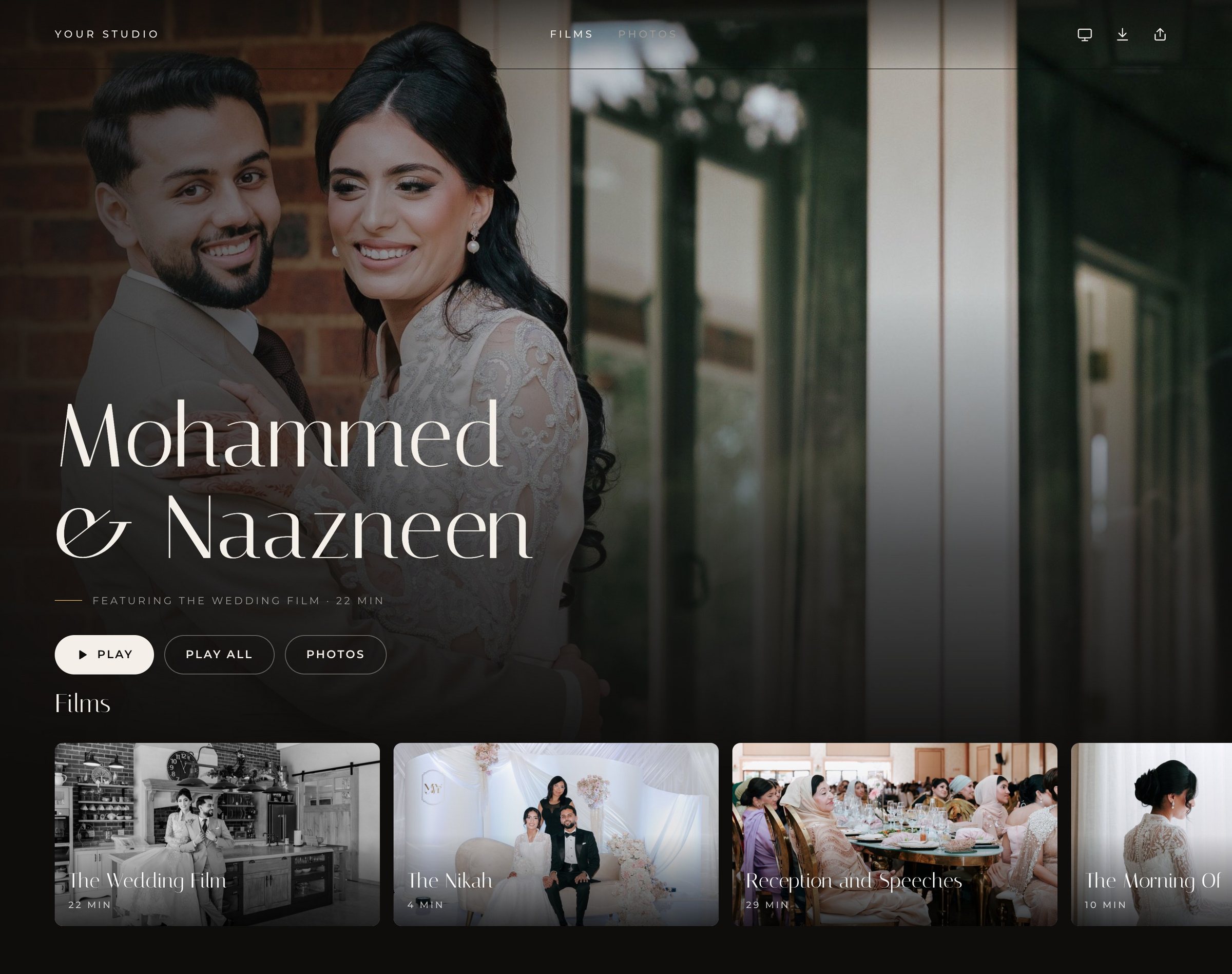
You spend weeks on the grade, the sound and the story. Delivery should not be the moment it falls apart, with a compressed preview, a link that expires, or a couple squinting at a phone. Dellro was built around the film first, so the way your work is watched matches the care that went into making it.
Streaming that respects the grade
Films stream adaptively using a quality ladder of 2160p (4K), 1440p for sources between 1440p and 4K, 1080p and 720p, with a separate audio track. Playback starts at a lower rung and steps up as the connection allows, and a film is only encoded up to its source resolution, never upscaled. Read more about 4K film streaming.
- Chapters so couples can jump to the vows, the speeches or the first dance.
- Captions and subtitles for speeches and for family abroad.
- Rows and sub-pages on the gallery home, like a streaming service, for the feature, highlights, ceremony and extras.
- Replace a film with a new version and it keeps the same place in the gallery.
Made for the living room
Most couples want to watch their film together, on the biggest screen in the house. They open the TV page in a smart TV's web browser, type the 6-character code into the gallery on their phone, and the gallery opens on the TV, driven by the remote. There is no login on the TV. AirPlay and Chromecast work from the player too. See watch on TV.
Uploads that cope with real files
Export in MP4, MOV, MXF, MKV or M4V. Each file can be up to 500 GB, and uploads go in parts, so a dropped connection or closed browser is not a restart: add the same file again and it resumes. Each file is fingerprinted in your browser before upload, then stored three times, with a locked copy that cannot be deleted or changed during its lock period. Details are on large file uploads and three-copy protection.
A release worth waiting for
On paid plans you can schedule a Premiere, so the gallery opens at a set moment with a countdown. On Studio and Signature plans, add a short muted background clip of up to 30 seconds and background music to set the mood before anyone presses play.
Your workflow, step by step
- 1Create the galleryOne gallery per wedding or event, from a template if you have one.
- 2Upload films and extrasAdd the feature, highlights and full-length edits, then add chapters and captions.
- 3Choose a layoutHaven, Solace and Solitary suit a single film; Duet, Grove, Aurora, Gatsby, Mirage and Sierra suit several.
- 4Set access and sendPick the privacy level, decide on downloads, and send a delivery email or schedule a Premiere.
Privacy is set per gallery, from a private draft while you check the edit, to an open link, a password, or personal access for each guest. Galleries are never indexed by search engines.
If you also deliver photos, they live in the same gallery. When you are ready, create your studio and try every Studio feature free for 14 days.
Questions
- Will my film be upscaled to 4K?
- No. A film is only encoded up to its source resolution. A 4K source streams in up to 2160p, and a 1080p source streams in up to 1080p.
- Can I update a film after delivery?
- Yes. Replacing a film with a new version keeps the same place in the gallery.
- Do couples need an app to watch on the TV?
- No. They open the TV page in a smart TV's web browser and pair it with a 6-character code from their phone. AirPlay and Chromecast also work. Apps in TV app stores are not available yet.
- Which video formats can I upload?
- MP4, MOV and other common video containers such as MXF, MKV and M4V, up to 500 GB per file.