Guide
How to deliver a wedding film to your clients
The best way to deliver a wedding film is a private, branded gallery that streams smoothly on every screen, including the TV, and offers high-quality downloads for a clear window of time. Export a high-bitrate master and a sensible streaming file, name every piece so a couple understands it instantly, and treat the hand-over as a moment rather than a link in an email.
Updated 18 October 2026
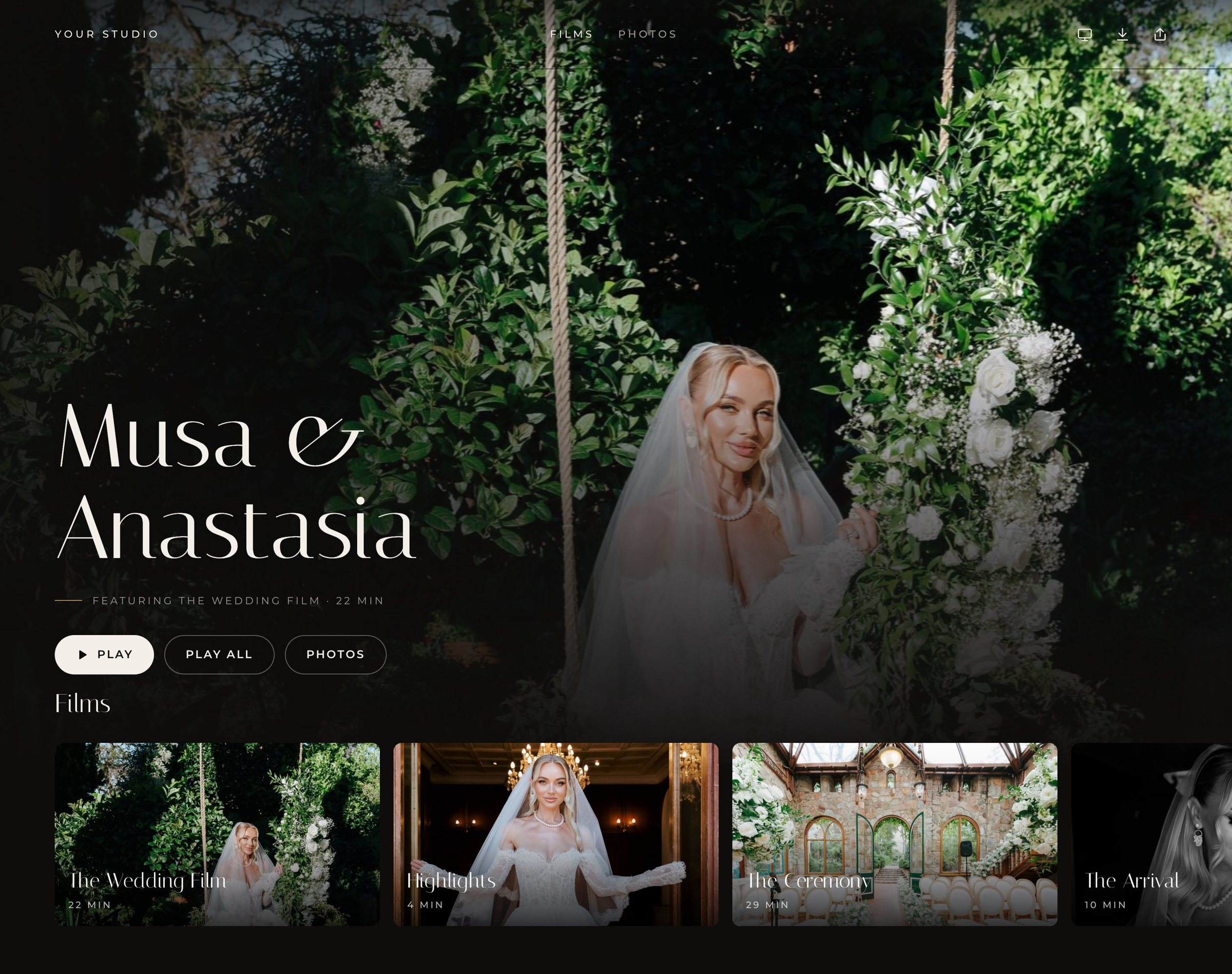
What do couples actually need from a wedding film delivery?
After months of waiting, a couple wants three things. They want to press play and have the film simply work, on a phone in bed, a laptop at work and the big TV with family on a Sunday. They want to keep it, which means a proper download they can store themselves. And they want it to feel like a keepsake, not a file. A delivery that gets all three right is remembered as part of the service; one that misses any of them becomes a support thread.
- Streaming on every screen. Most first viewings happen on a phone, but the emotional viewing usually happens on a TV. Your delivery should handle both without anyone downloading a 20 GB file first.
- Downloads they can trust. Original-quality files, clearly labelled, with a clear date by which they should save them.
- A keepsake feel. Your branding, a calm layout, the films in a sensible order, and nothing that looks like a generic file share.
- Privacy. Control over who can watch, and confidence that the film will not appear in search results.
- Easy sharing. A way for parents and grandparents to watch without technical help.
What export settings should you use for a wedding film?
Think in two files per film: an archive master and a delivery file. The master is your safety net, exported from the finished timeline at high quality (often a ProRes or a high-bitrate H.264 or H.265 file). The delivery file is what couples download and what a streaming platform encodes from. A good delivery file is high quality but sane in size.
H.264 or H.265?
H.264 is the most compatible codec there is; almost every phone, laptop and TV plays it. H.265 (HEVC) delivers similar quality at a noticeably lower bitrate, which makes it attractive for 4K, but some older computers and TVs struggle to play it from a downloaded file. A common, safe approach is H.264 for 1080p downloads and either H.264 at a generous bitrate or H.265 for 4K. If your delivery platform encodes its own streaming versions, the download file mostly needs to be high quality and widely playable.
What bitrate should a wedding film be?
There is no single correct number, but broad ranges help. For a 1080p H.264 delivery file, something in the region of 15 to 30 Mbps looks excellent for typical wedding footage. For 4K H.264, many editors use roughly 40 to 80 Mbps; H.265 can achieve similar quality at lower rates. Archive masters are usually far higher. Footage with lots of fine detail, foliage, confetti or fast motion benefits from the top of these ranges. If you want to see what a choice means in gigabytes, the delivery size calculator does the maths for you.
Should you deliver in 4K or 1080p?
Deliver in the resolution you shot and finished in. If you finished in 4K, give couples 4K; many now watch on 4K TVs, and a 4K file keeps its value for longer. If you finished in 1080p, do not upscale; a clean 1080p file looks better than an upscaled one. A good streaming setup offers several quality levels from one upload, so a couple on hotel Wi-Fi still gets a smooth picture while the living-room TV gets the full resolution. Dellro encodes each film into an adaptive ladder of 2160p (4K), 1440p, 1080p and 720p, only up to the source resolution, so nothing is ever upscaled. Read more about 4K film streaming.
| File | Typical settings | Purpose |
|---|---|---|
| Archive master | ProRes or high-bitrate H.264/H.265, finished resolution | Your long-term safety copy, rarely shared |
| 4K delivery file | H.264 or H.265, roughly 40 to 80 Mbps for H.264 | Download for couples with 4K screens |
| 1080p delivery file | H.264, roughly 15 to 30 Mbps | The most compatible download for any device |
| Streaming versions | Adaptive ladder encoded by the platform | Smooth playback on any connection |
How should you name and organise wedding film deliverables?
Couples should never need to guess which file is which. Use plain, human names that put the couple and the content first, and keep the order consistent from wedding to wedding so your studio feels considered.
- Feature film: the main story, usually first in the gallery. Example: Anna and James, The Film.
- Highlights or trailer: the short, shareable piece couples post and send to friends.
- Ceremony: the full ceremony, ideally with chapters for the processional, vows, rings and recessional.
- Speeches: each speech as its own chapter or file, labelled with who is speaking.
- First dance and extras: dances, entrances, a family edit.
- Raw or extended footage: only if it is part of your package, clearly marked as unedited.
For downloads, include the couple, the piece and the resolution in each file name, for example Anna-James_Feature_4K.mp4. In a streaming gallery, short titles read better than file names. Dellro arranges films in rows and sub-pages on the gallery home, like a streaming service, and supports chapters and captions on films, so long pieces such as ceremonies and speeches are easy to navigate.
What are the ways to deliver a wedding film, and their trade-offs?
Every method can work; the question is what the couple experiences and how much it costs you in time and support. Here is an honest comparison.
| Method | Strengths | Trade-offs |
|---|---|---|
| File-transfer links | Quick, familiar, fine for one-off files | Links expire, no streaming, couples must download huge files before watching, no branding |
| Video hosting sites | Good streaming and easy embedding | Built for audiences, not private keepsakes; photos live elsewhere; branding and privacy vary |
| Cloud drives | Cheap storage you may already pay for | Feels like a folder, previews are often low quality, sharing settings are easy to get wrong |
| USB drive or box | Tangible, a lovely physical gift | Drives fail and get lost, no easy sharing with family, costs and postage per wedding |
| Dedicated delivery gallery | Branded, private, streams and downloads in one place, works on TVs | A subscription cost, and you need to choose a platform you trust with archives |
Many studios combine methods: a dedicated gallery as the main delivery, and a USB as a physical gift for premium packages. If you do send a USB, it should be a copy, never the only one.
How do you keep a wedding film private?
Wedding films contain family, children, homes and private moments. Decide the level of access with the couple before delivery. Some couples want a link anyone can open; others want a password; others want only named guests. Whatever you choose, make sure the gallery is not indexed by search engines.
In Dellro, each gallery has its own access setting: Only me (a private draft), Open link, Password, People I choose (personal access codes per guest) and People I invite (guests sign in with a 6-digit code sent to their email). The last two are on paid plans. Galleries are never indexed by search engines, and revoking a guest or changing the password also signs out any paired TVs. See private galleries for the details.
How should you hand over the film?
The delivery moment is part of the product. A thoughtful hand-over turns a link into an event, and it is often what couples describe when they recommend you.
- Pick the moment. Avoid sending at the end of a workday. A Friday evening or weekend morning gives couples time to watch together.
- Write a short, warm email. Thank them, tell them what is inside, suggest they watch the feature first on the biggest screen they have, and mention the download date.
- Keep instructions to two lines. How to open the gallery, and how to put it on the TV. Link to help rather than pasting a manual.
- Consider a premiere. Schedule the gallery to open at a set time with a countdown, so the couple can gather family for the first viewing. See premiere and our guide to planning a wedding film premiere.
What aftercare should a wedding film delivery include?
Aftercare is where trust is built or lost. Couples rarely download straight away, so give them a clear window and remind them. Say plainly how long they can stream, how long original downloads are available, and what you keep on your side.
- A downloads window. State a date by which couples should save their originals. In Dellro, originals are downloadable for 12 months from gallery creation; after that films download in 1080p and photos in web size, and a quiet note in the gallery shows the date. Studios choose whether films and photos can be downloaded at all. See downloads.
- Ongoing streaming. In Dellro, streaming continues for at least three years.
- Your own archive. Keep your masters on a proper backup routine; our guide on how long to keep wedding footage covers it.
How do you deliver a wedding film with Dellro?
- 1Create a gallery for the weddingPick one of 9 layouts and add your logo, colours and fonts. Studio and Signature plans are white-label and can use your own domain.
- 2Upload films and photosUpload MP4, MOV and other common containers, up to 500 GB per file. Uploads go in parts and resume after a dropped connection. Folder upload turns subfolders into photo sets.
- 3Wait for ProtectedEach file is fingerprinted in your browser and stored three times. A file shows as Protected only when all three copies match.
- 4Choose access and downloadsSet who can watch and whether films and photos can be downloaded.
- 5Deliver the momentSend the gallery with a scheduled delivery email, or schedule a premiere with a countdown on paid plans.
- 6Let them watch everywhereCouples stream on phones, laptops and TVs, cast with AirPlay or Chromecast, and download originals within the window.
Questions
- What is the best way to deliver a wedding video to a client?
- A private, branded online gallery that streams on phones, laptops and TVs and offers original-quality downloads for a clear period. It avoids expiring links and huge downloads before the first viewing, and keeps films and photos together in one place.
- Should I deliver wedding films in 4K?
- Deliver in the resolution you finished in. If you edited in 4K, deliver 4K; if you finished in 1080p, do not upscale. Dellro streams up to the source resolution with an adaptive ladder of 2160p, 1440p, 1080p and 720p, so couples on slow connections still get smooth playback.
- How long can couples download their films in Dellro?
- Original files are downloadable for 12 months from gallery creation. After that, films download in 1080p and photos in web size, and streaming continues for at least three years. A note in the gallery shows the date.
- Can I deliver photos and films in the same gallery?
- Yes. In Dellro, films and photo sets live together in one gallery with one link, with photo sets such as Getting Ready, Ceremony and Reception.
- Will my clients' wedding films appear in search results?
- Not in Dellro. Galleries are never indexed by search engines, and each gallery can be set to a private draft, an open link, a password or personal access for named guests.