Guide
How to deliver wedding photos and videos together
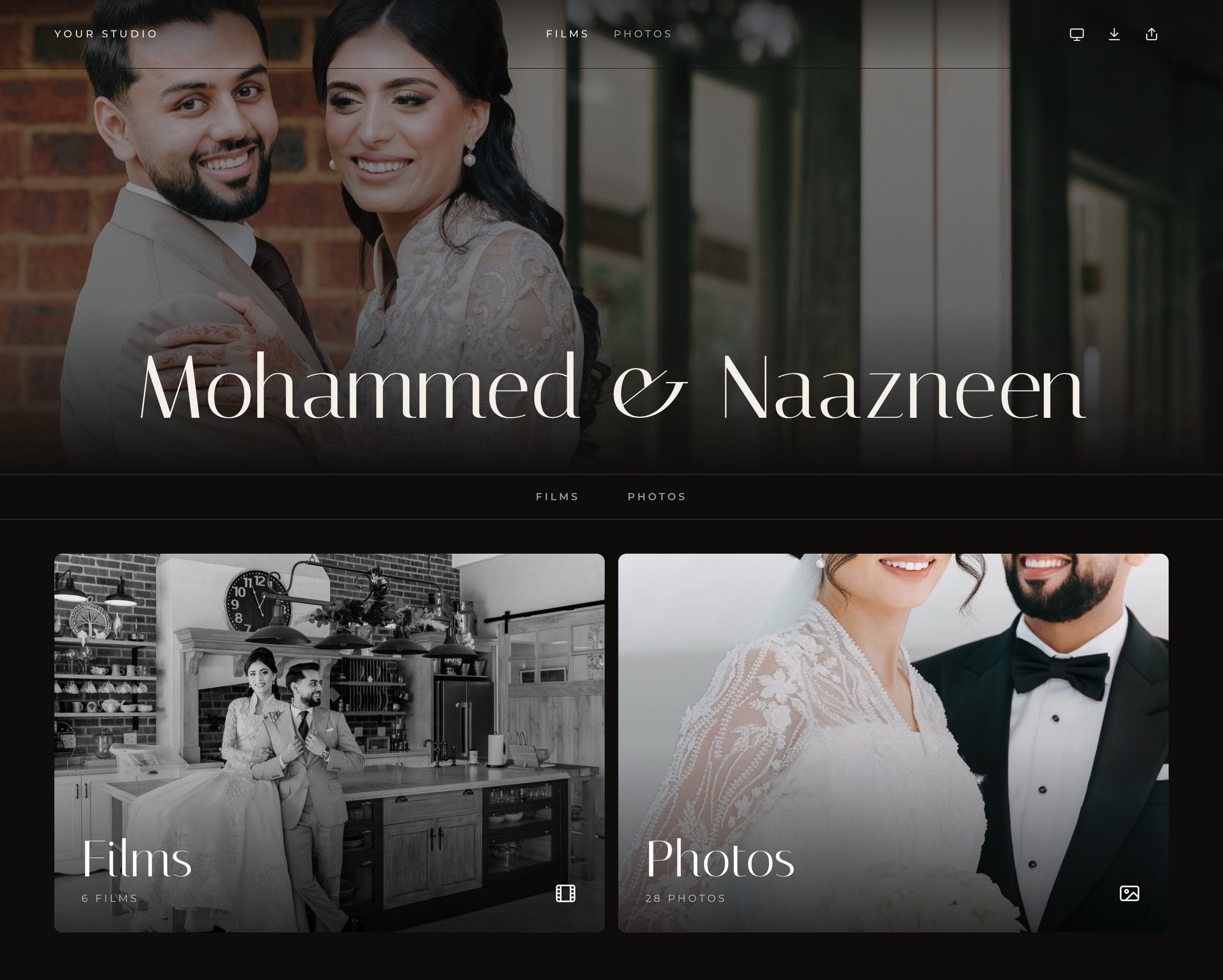
The simplest way to deliver wedding photos and videos together is one private gallery with one link, where films and photo sets sit side by side under your branding. Couples get the whole day in one place, and you stop juggling separate platforms for stills and motion.
Updated 18 October 2026
Why do hybrid studios end up with two delivery links?
Many tools were built for one medium. Photo-first gallery platforms handle stills beautifully but treat video as an afterthought, while video hosting sites stream well but have no real home for hundreds of photos. Hybrid studios often end up sending two links, with two designs and two sets of instructions. Couples lose one, family cannot find the other, and the delivery feels like two separate services.
| Two links | One combined gallery | |
|---|---|---|
| For the couple | Two places to find, two sets of instructions | One link with the whole day |
| For family | Easy to get only half the delivery | Everyone sees films and photos together |
| For your brand | Two looks, often with other platforms' branding | One consistent, branded experience |
| For your workflow | Two uploads, two sets of settings | One gallery, one set of access and download settings |
How should you organise wedding photo sets?
Follow the shape of the day. Couples remember their wedding as a sequence, so sets that mirror it are easy to browse and easy to share with the right people.
- Getting Ready
- First Look or Portraits
- Ceremony
- Family and Group Photos (the set most often sent to parents)
- Reception
- Dancing and Send-off
Keep sets to a size people will actually scroll, and lead each one with a strong image. In Dellro, folder upload keeps subfolders as photo sets, so organising your export folders the way you want them to appear does the work for you. Each set has a slideshow, a lightbox and its own ZIP download.
Where should films sit alongside photos?
Lead with the film. It is usually the emotional centre of the delivery, and a gallery that opens on the feature sets the tone for everything else. Put the highlights and feature near the top, longer pieces such as the ceremony and speeches after, and photo sets below. Dellro arranges films in rows and sub-pages on the gallery home, and offers 9 gallery layouts, including single-film and multiple-film designs.
Should photos and films be delivered at the same time?
Photos are usually ready weeks or months before the film, and couples are eager for them. You do not need to hold one back for the other. A combined gallery can open with the photos first and gain the films later, so the link the couple already knows simply grows. Tell them at the first delivery that the films will appear in the same place, and send a short note when they arrive. In Dellro, replacing a film with a new version keeps the same place in the gallery, so a revised edit never breaks the layout.
How do you share a combined gallery with family and guests?
Families often want different things: parents want the family portraits, friends want the dancing, and grandparents want the ceremony on the TV. One gallery serves all of them if access and downloads are set thoughtfully. Decide with the couple whether the link is open, password-protected or limited to named guests, and whether guests may download. In Dellro, studios choose whether films and photos can be downloaded, and access can be set per gallery; see private galleries and downloads. A gallery can also be added to a phone's home screen with the studio's icon on Studio and Signature plans, which makes it easy for relatives to find again.
How can couples choose favourites for albums and prints?
Album design goes faster when couples pick their favourites inside the gallery instead of emailing lists of file numbers. In Dellro, clients heart photos and send the list to the studio (on paid plans), ready for albums and prints.
How do you keep branding consistent across photos and films?
- One logo, one colour palette, one pair of fonts across the gallery, your emails and your website.
- No other platform's branding. White-label delivery keeps the experience yours.
- Your own domain, so the link itself carries your name.
- Consistent naming for films and sets from wedding to wedding.
Dellro lets you set your studio logo, colours, heading and body fonts and menu theme. White-label (no platform credit) and your own domain, such as films.yourstudio.com, are included from the Studio plan (and on Photo Pro). On your own domain, Client Space lets couples enter their email and the personal access code from their invitation to open their gallery. See white-label galleries and photo and video galleries.
Questions
- Can I deliver wedding photos and videos in one link?
- Yes. In Dellro, films and photo sets live together in one gallery with one link, with your branding and one set of access and download settings.
- How are photo sets created in Dellro?
- Upload a folder and each subfolder becomes its own photo set, for example Getting Ready, Ceremony and Reception. Each set has a slideshow, lightbox and ZIP download.
- Can couples pick favourite photos for their album?
- Yes, on paid plans. Clients heart photos and send the list to the studio for albums and prints.
- Can I remove the Dellro branding from galleries?
- Yes. White-label (no platform credit) and your own domain are included on the Studio and Signature plans.